Vocal Match EQ
Drop your vocal and a song whose vocal sound you like. Get an EQ that moves your take toward the reference's tonal balance - as real EQ Eight bands you can hear, download or keep editing. Everything happens in your browser.
Your vocal
The take you want to EQ - a dry vocal works best.
Reference
A song or a vocal stem with the vocal tone you are after.
100% in your browser - your files never leave your device.
How it works
Four steps from your take to a matched vocal - all in your browser.
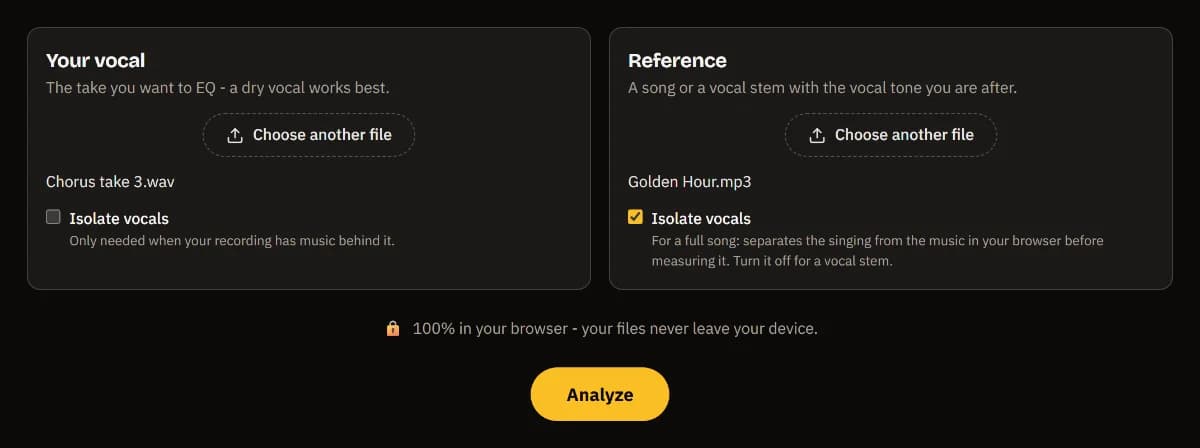
Drop your vocal and a reference
Your take on the left, a song or a vocal stem on the right. Vocal isolation is on for the song, so its singing is measured, not the band.
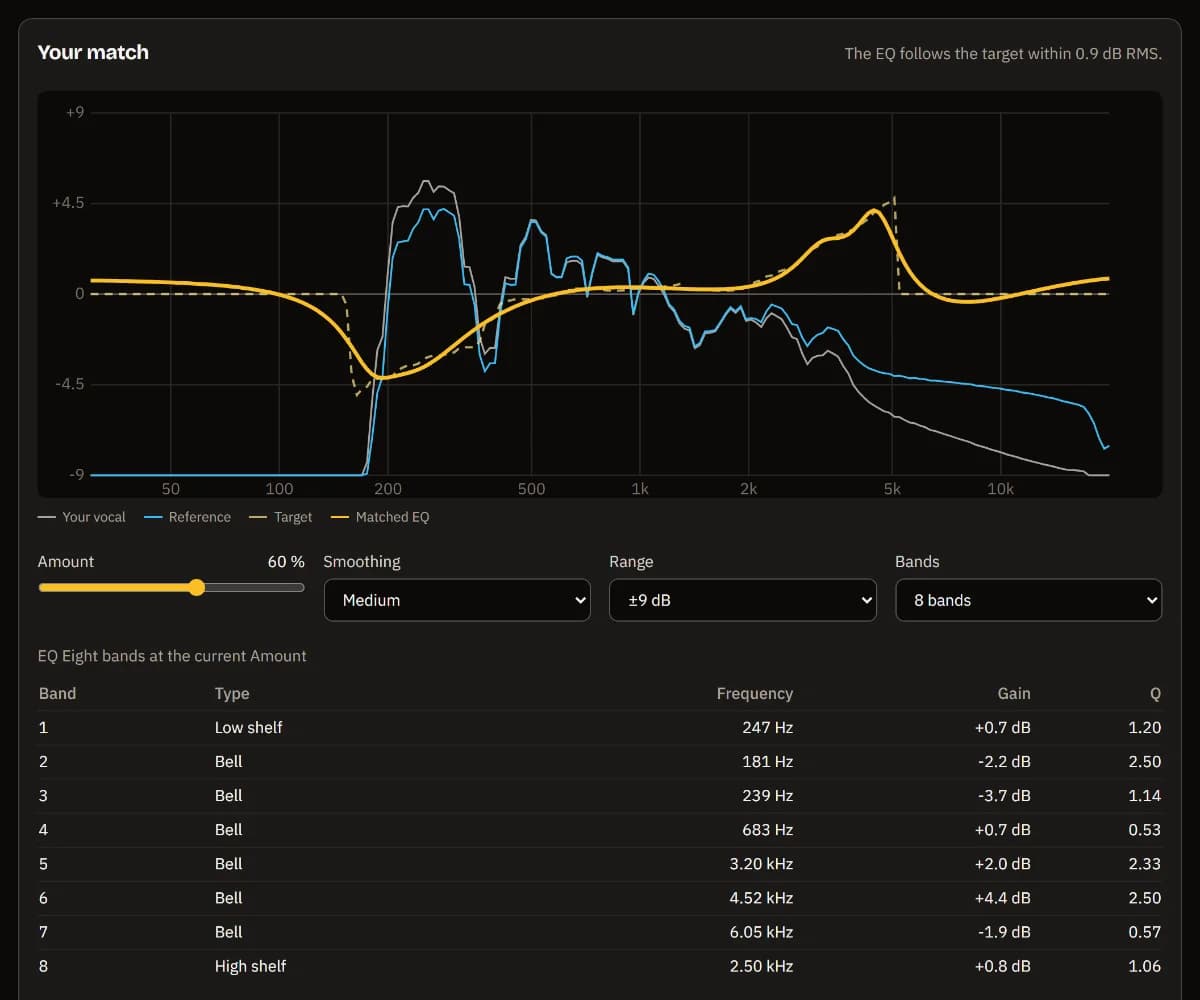
See the match
Both spectra, the target and the fitted EQ on one chart, and the EQ Eight bands it takes - shelves and bells with frequency, gain and Q.
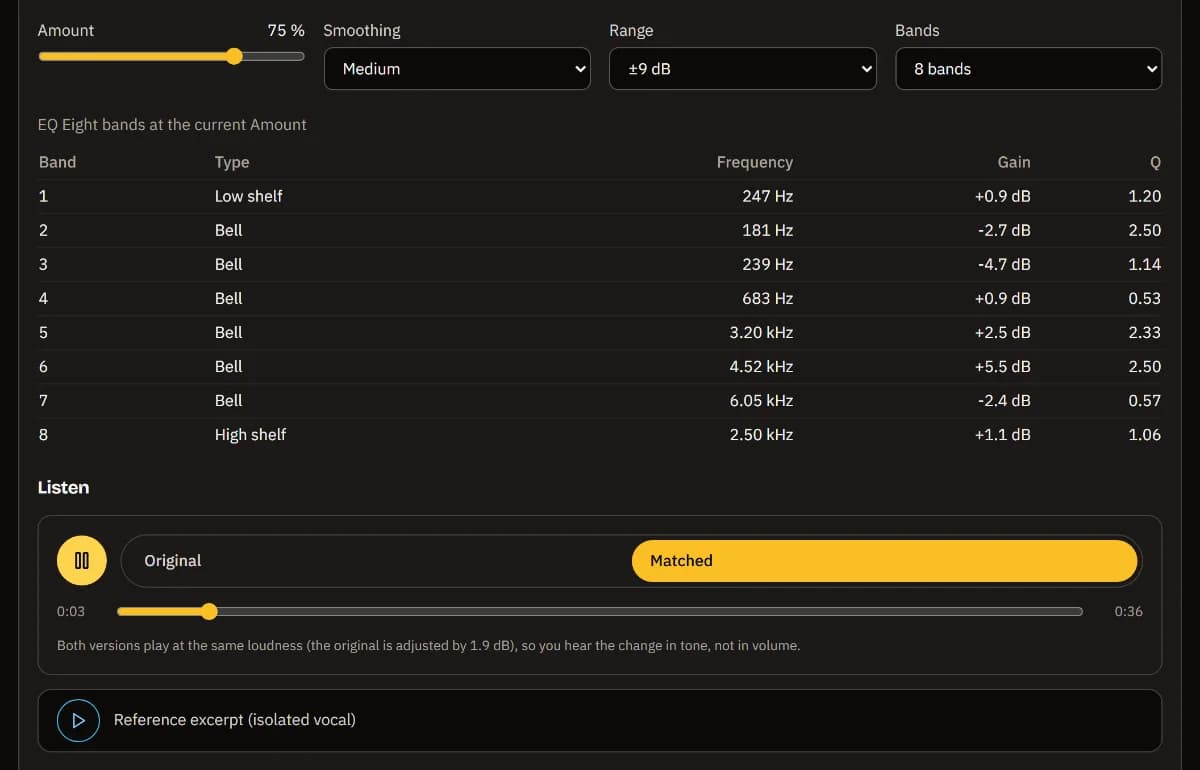
Dial it in and listen
Set how far to go with Amount, how detailed with Smoothing, Range and Bands, and switch between original and matched at the same loudness.
Download or keep editing
Download the matched vocal as a WAV, or open it in TuttiDAW with the bands on a real EQ Eight and the reference on a muted track.

What the match does
The tool measures the long-term average spectrum of both vocals over their clearly sung moments only - pauses, breaths and noise are left out - and compares the two with the overall level taken out, so it hears tone, not loudness. Where your recording has nothing to boost (below your lowest note, or above what your microphone picked up) it only ever cuts.
That difference is then fitted with up to eight real EQ Eight bands - a low shelf, bells and a high shelf - using the same filter math the TuttiDAW editor plays. The download is your whole take through exactly those bands, so the file sounds like the editor will once you open the project.
For a full song, the vocal is separated from the music first with the same in-browser model as the TuttiDAW Vocal Remover (it needs WebGPU). Amount sets how much of the match you apply - 60 % is a good start, since a full match also copies the reference's room and microphone.
Frequently asked questions
Will I sound like the singer on the reference?
No. An EQ changes the tonal balance - how much low end, body, presence and air there is - not the voice itself. Your pitch, timbre, phrasing and accent stay yours. What you get is a vocal that sits in a similar frequency balance, which helps it fit a mix like the reference.
Are my files uploaded anywhere?
No. Decoding, vocal isolation, the analysis and the EQ all run in your browser. Your recording and the reference never leave your computer.
What makes a good reference?
A song with a similar voice type and style, or better, a vocal stem of it. With a full song keep Isolate vocals on; with a stem or an a cappella turn it off. The tool analyses up to three minutes of each file, and your vocal can be up to ten minutes long.
Why does it say vocal isolation is not available?
Separating the vocal from a song runs on your graphics card through WebGPU, which current Chrome and Edge support on most computers. Without it the files are measured as they are, which works well with a vocal stem as the reference but less well with a full mix.
Can I fine-tune the EQ afterwards?
Yes. Open in TuttiDAW puts your original vocal in the free browser editor with an EQ Eight holding the matched bands and the reference on a muted track. Every band stays editable, and the EQ's Match section is open, so you can change Amount, pick another reference or match again.
Want to finish the song? The full TuttiDAW editor has EQ Eight with Match, compressors, reverbs and much more - free, in your browser.
Explore TuttiDAW - the online audio workstation, no sign-up to start