Sing a Cover
Pick a song you love, sing a 30–60 second part over the backing with headphones on, and download a mix where your voice sits in the music. Vocal removal, recording and mixing all happen in your browser.
Opening your cover…
How it works
Five steps from a song to your own cover - with headphones, a microphone and a few minutes.
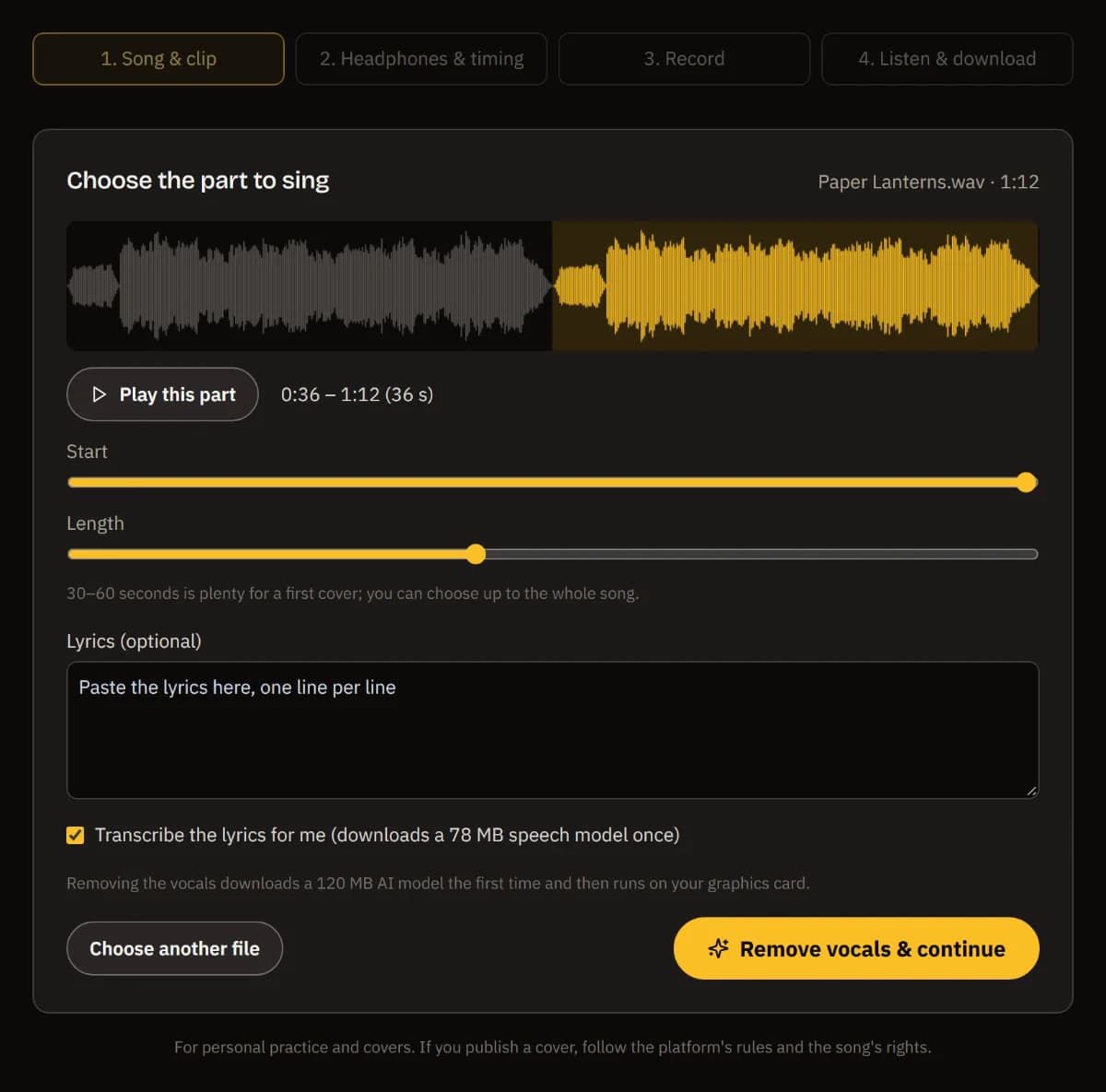
Pick the song and the part
Drop a song and choose the 30–60 seconds you want to sing. The vocals are removed on your device; you can use your own instrumental instead.
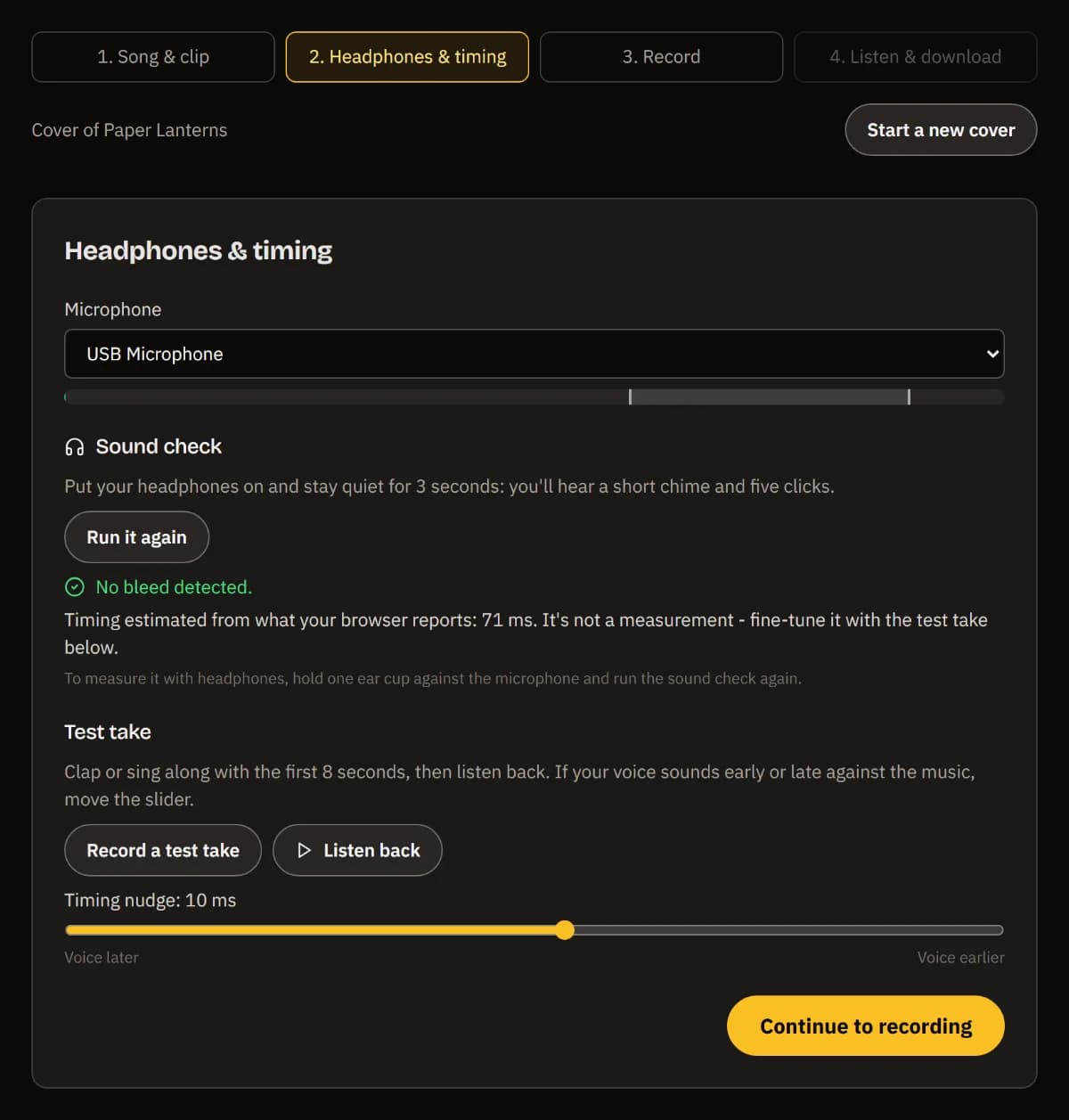
Check headphones and timing
A 3-second sound check tells you whether the music leaks into your mic. A short test take lets you nudge the timing by ear.
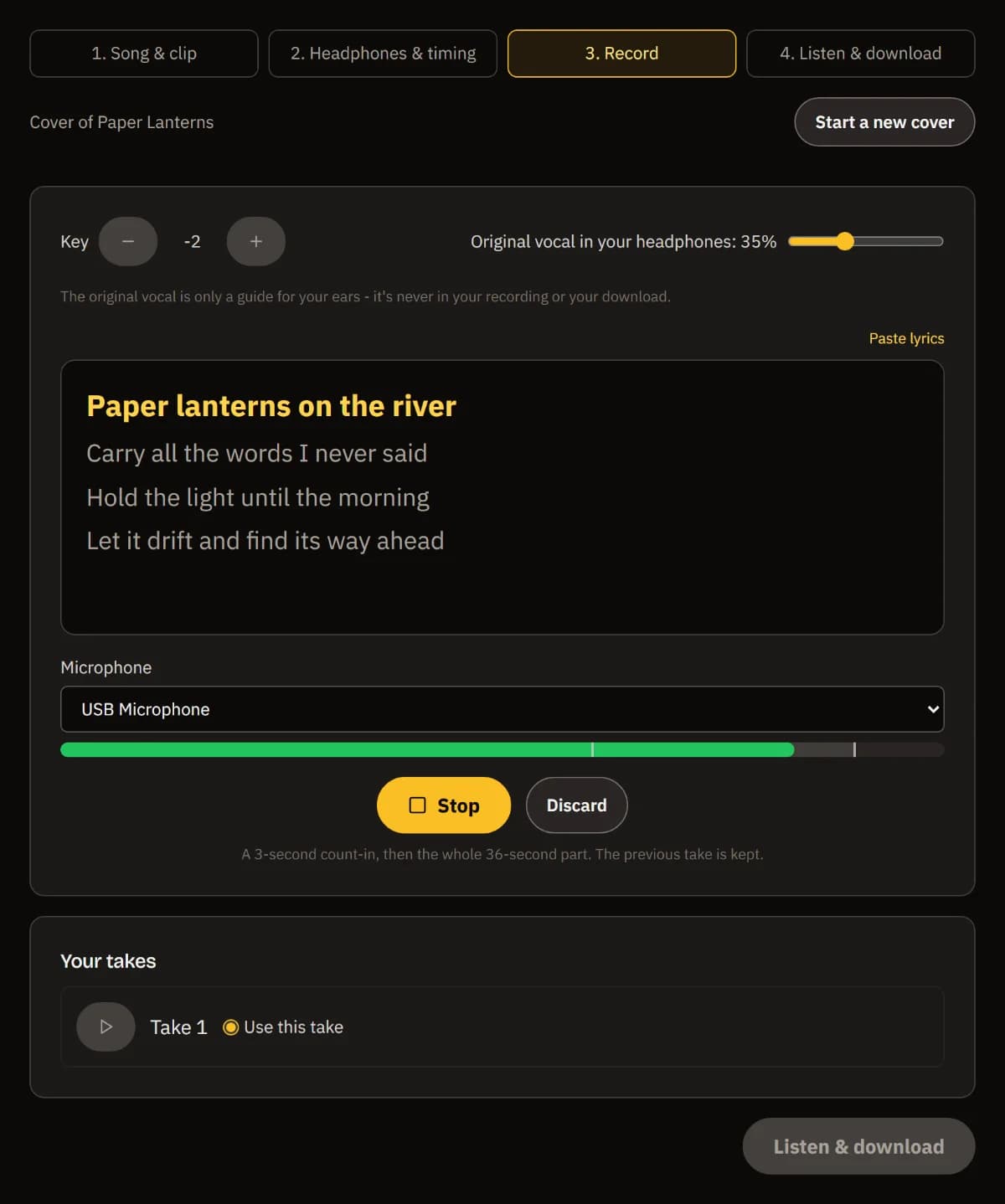
Sing along with the lyrics
Change the key if it sits too high or low, then sing after a count-in while the words scroll. Every take is kept.
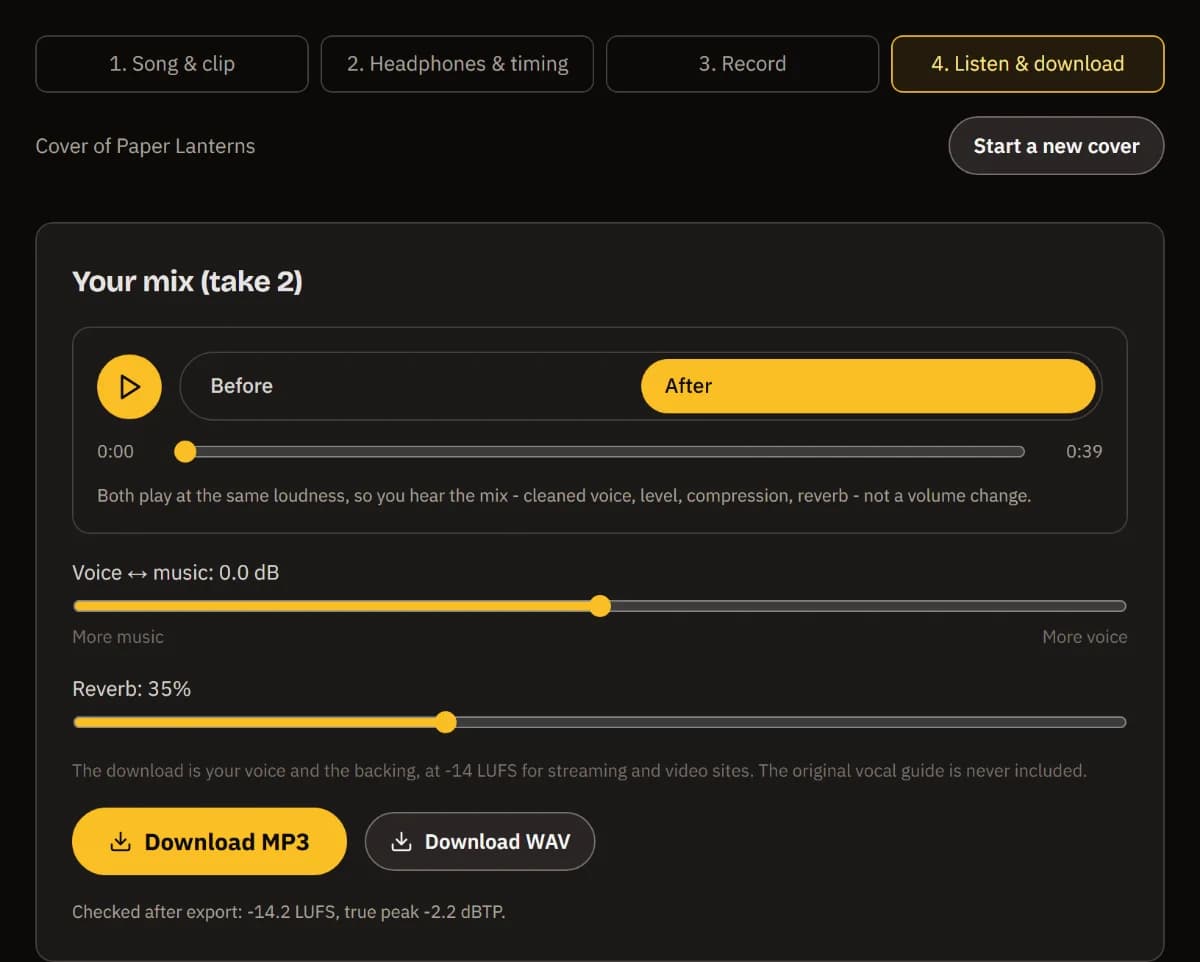
Compare and download
Switch between before and after at the same loudness, set voice against music and the reverb, and download an MP3 or WAV.
Keep going in TuttiDAW
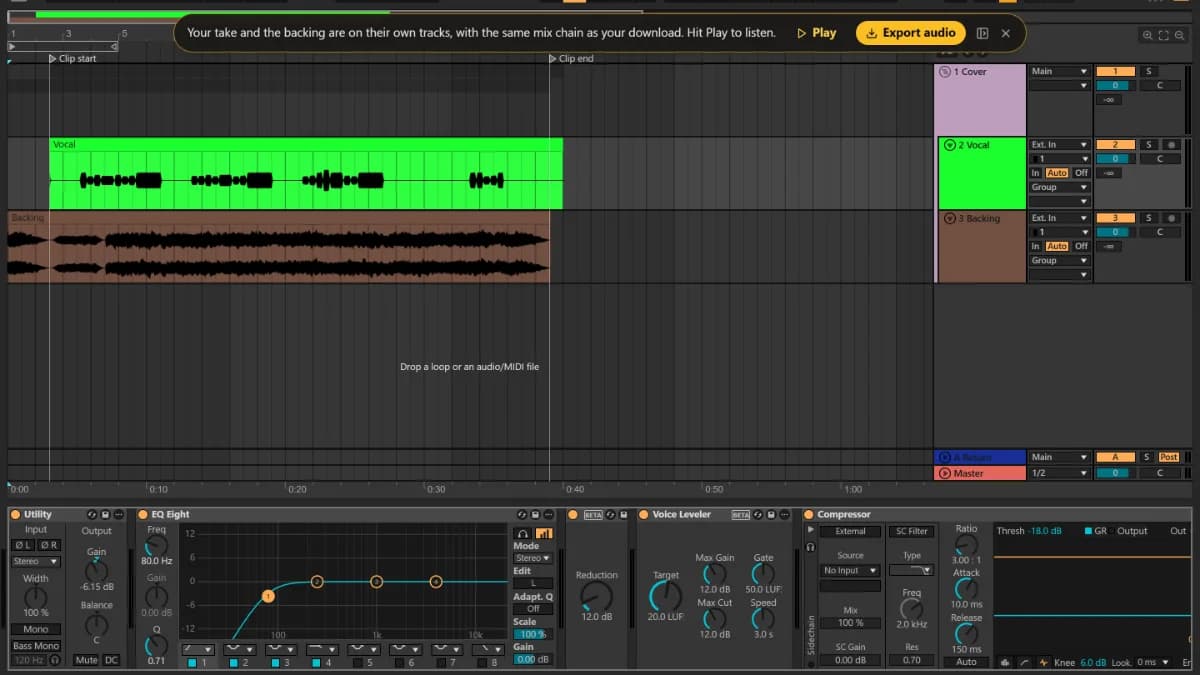
Open in TuttiDAW puts your take and the backing on their own tracks, with the same effects as adjustable devices.
What happens to your voice
Your take is placed on the backing's timeline with the delay your sound check measured (or your browser's estimate plus your own nudge), so it lines up with the music to within milliseconds instead of the 20–100 ms a browser recording usually runs late.
The mix uses the same devices as the TuttiDAW editor: a low cut, light noise reduction, a voice leveler and a compressor on your voice, the editor's Reverb, and your balance against the backing. The result is brought to -14 LUFS with the true peak at or below -1 dBTP, and the MP3 is decoded again and measured before you download it.
The original vocal you can hear while singing is only a guide in your headphones - it is never part of your recording or your download. Removing vocals needs a browser with WebGPU; in other browsers you can use your own instrumental or the sample song.
Frequently asked questions
Is my song or my voice uploaded?
No. Vocal removal, lyrics transcription, recording and mixing all run in your browser. Your project, including your takes, is saved in this browser so a refresh doesn't lose it, and nothing is sent to a server.
Why can't my browser remove the vocals?
The vocal remover is an AI model that runs on your graphics card through WebGPU. Up-to-date desktop Chrome and Edge have it; where it's missing, the page offers your own backing track or the sample song instead of a slow fallback.
Will my voice be in time with the music?
Browsers record late by an amount that depends on your devices. The sound check measures it when the mic can hear the output (speakers, or a headphone cup held to the mic); otherwise it starts from your browser's estimate and you fine-tune it by ear with a test take. The result is remembered for those devices.
Do I need headphones?
They're strongly recommended. Without them the backing plays into your microphone and ends up in your vocal. The sound check tells you whether the mic hears the output (bleed); it can't tell what kind of headphones you wear.
Can I publish my cover?
The tool is for personal practice and covers. Publishing a cover of someone else's song is governed by the platform you post to and the song's rights holders - check their rules first. The sample song on this page is original and free to use.
Can I fine-tune the mix?
Yes. Open in TuttiDAW puts your raw take and the backing on separate tracks in the free browser editor, with the same chain - EQ Eight, Denoise, Voice Leveler, Compressor, Reverb, Limiter - as adjustable devices and markers on your clip.
Want to go further? Layer harmonies, add effects and arrange your cover in the free TuttiDAW editor.
Explore TuttiDAW - the online audio workstation, no sign-up to start