Audiobook Check for ACX
Drop your chapter files and see, before you submit, whether they meet ACX's audio requirements - with the measured values and where in each file the problems are. Fix level, peaks and format in one go and download ACX-ready MP3s. Everything runs in your browser.
100% in your browser - your files never leave your device.
How it works
Six steps from your chapter files to MP3s that meet ACX's numbers - all in your browser.
Drop all your chapters
Select every chapter file at once. Each one is checked against ACX's requirements, one after another.
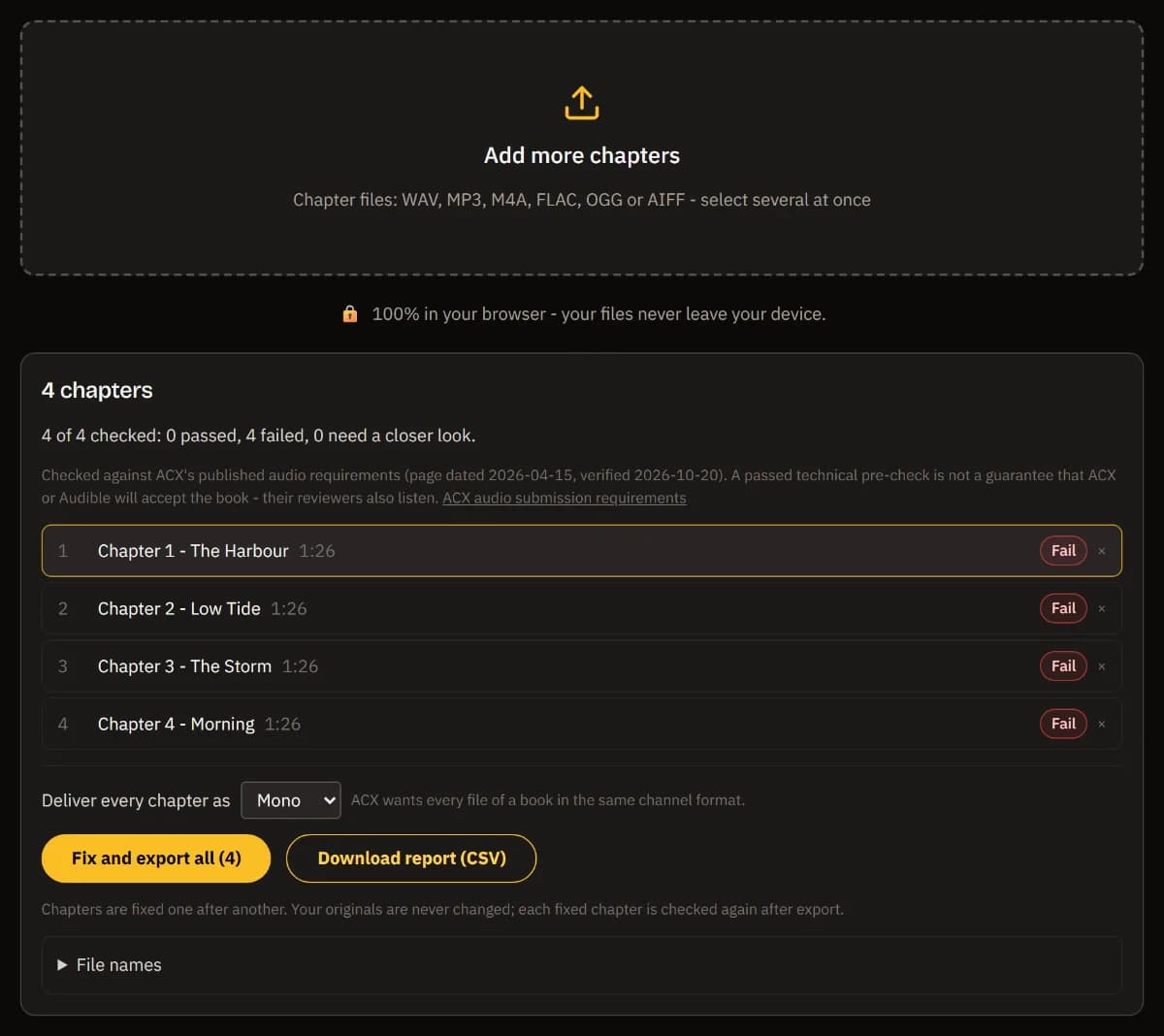
See what fails, and where
Every item shows ACX's limit, a plain reason and the places in the file - click a time to listen there.
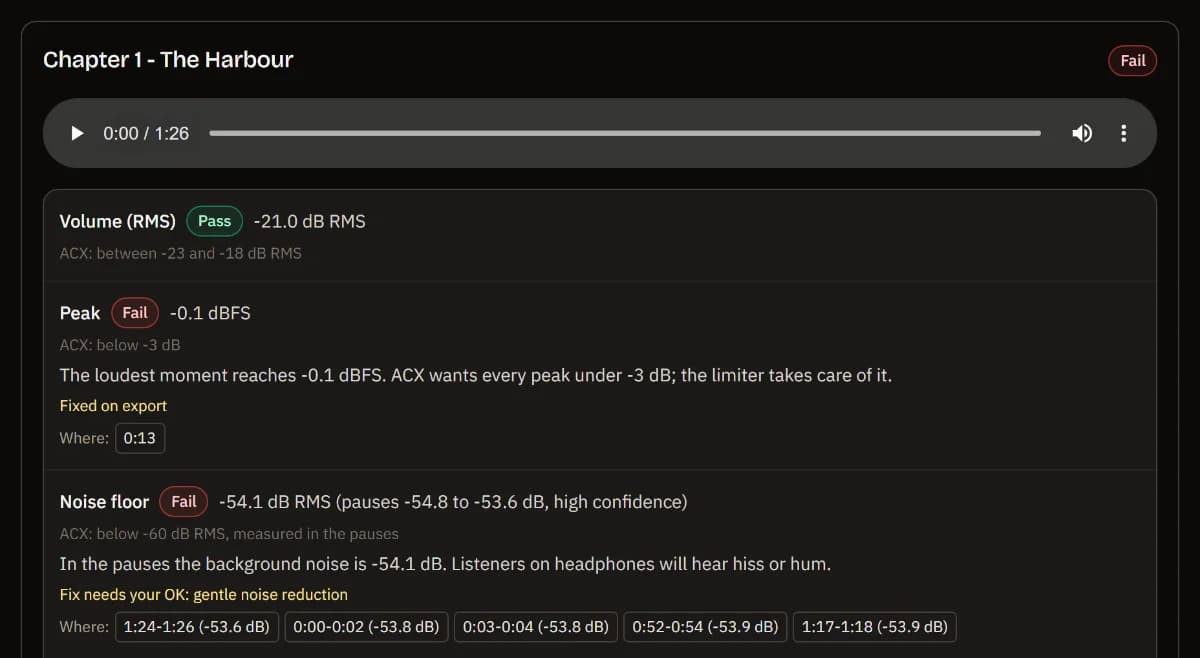
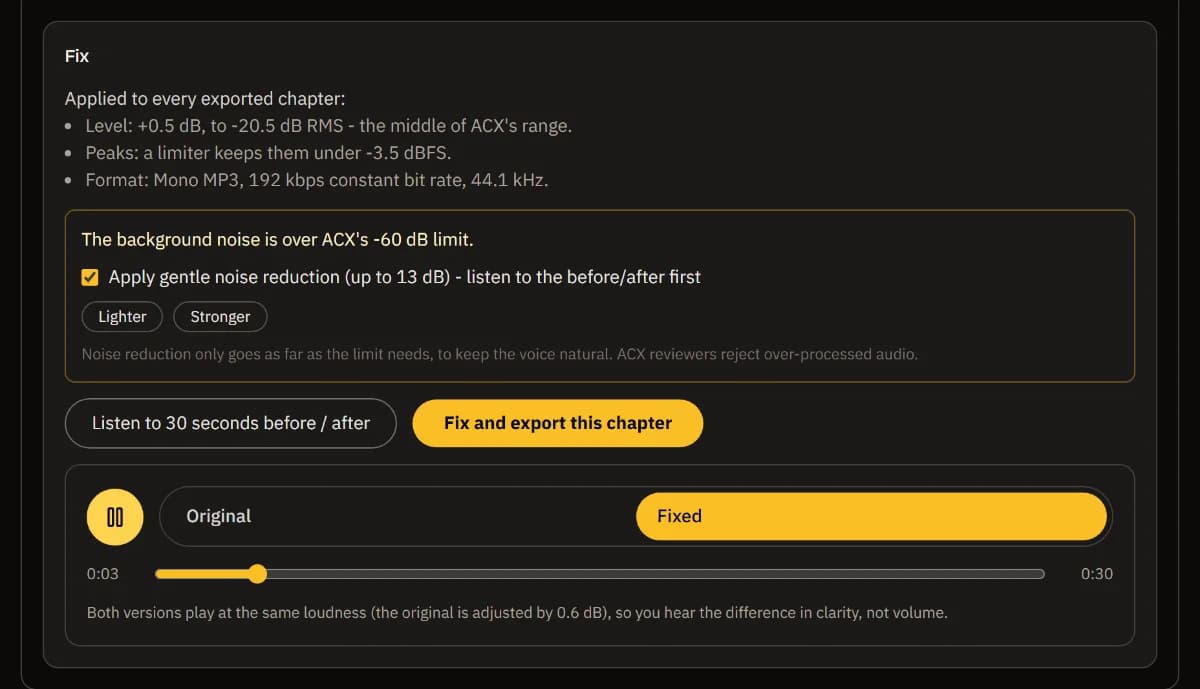
Listen, then choose the fixes
Level, peaks and MP3 format are fixed safely. Noise reduction only runs if you tick it after a before/after listen.
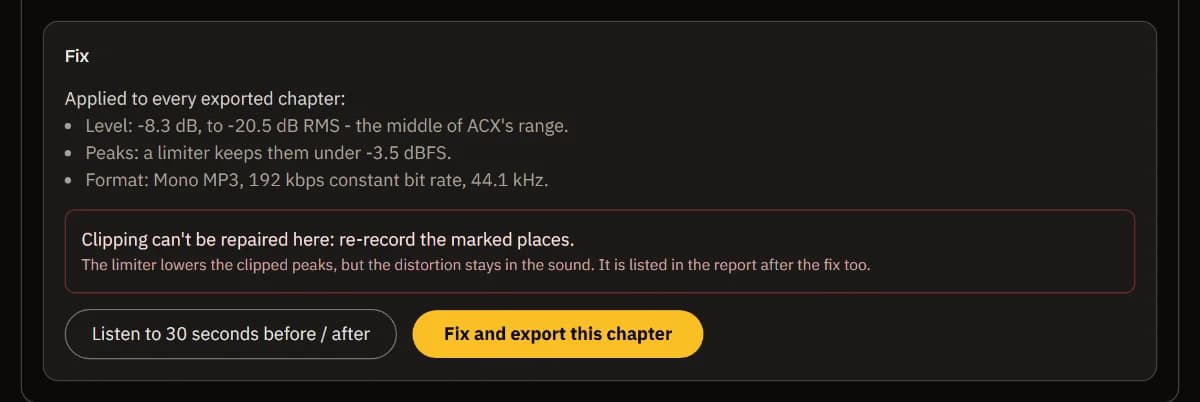
Re-record what can't be fixed
Clipping can't be repaired after the fact: the report marks where, so you know what to record again.
Fix the whole book
Fix and export all chapters in one go. Each MP3 is decoded and checked again; keep the CSV report for your records.
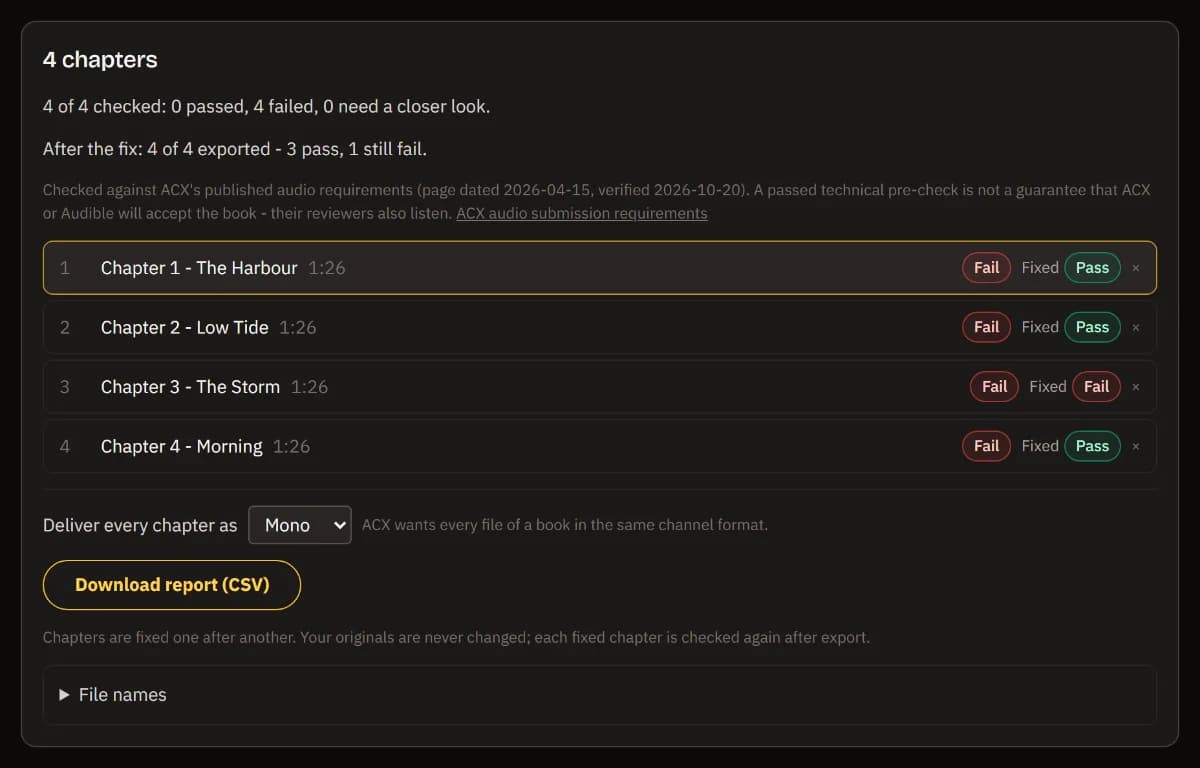
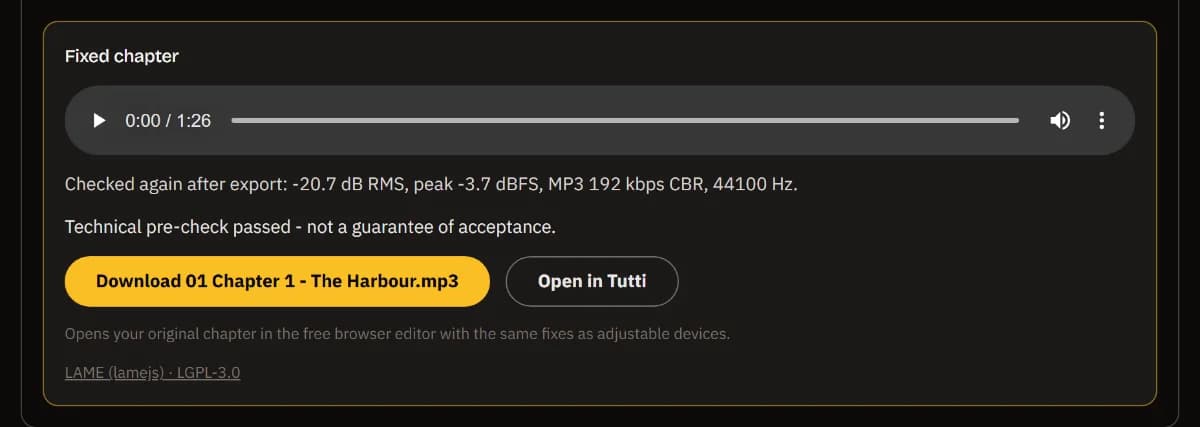
Download each chapter
Each MP3 (192 kbps, 44.1 kHz) is named the way you choose. Open it in TuttiDAW to keep editing with the same fixes.
What the check measures
The numbers come from ACX's published audio submission requirements: volume between -23 and -18 dB RMS, peaks below -3 dB, a noise floor below -60 dB RMS, 192 kbps or higher constant-bit-rate MP3 at 44.1 kHz, one channel format for the whole book, 1 to 5 seconds of room tone at the start and end, and at most 120 minutes per file. The rule set is frozen with its source and the date it was verified, and every report says which version it used.
The noise floor is measured in several real pauses, with a range and a confidence - not in the single quietest moment. Pauses that were edited to digital silence don't count as room tone: the tool tells you it can't judge the noise rather than reporting a perfect floor, and lets you mark a stretch of real room tone yourself.
The fixes are deliberately limited: level to the middle of the ACX range, a limiter for peaks, the MP3 format, and over-long room tone shortened. Noise reduction is gentle, goes only as far as the limit needs, and waits for your OK. Clipping can't be repaired, so it is listed for re-recording. Passing this technical pre-check doesn't guarantee acceptance - ACX reviewers also listen for consistency, mouth noise and mistakes.
Frequently asked questions
Are my chapters uploaded anywhere?
No. Decoding, measuring, fixing and MP3 encoding all run in your browser. Your audio never leaves your computer, and the report holds only numbers.
Which ACX requirements does it check?
RMS volume (-23 to -18 dB), peaks (below -3 dB), noise floor (below -60 dB RMS), MP3 at 192 kbps or more with a constant bit rate and 44.1 kHz, the same channel format for every file, room tone at the start and end (1 to 5 seconds, never more than 5), and a maximum of 120 minutes per file. It also flags clipping and digital silence.
Why does it say it can't measure my noise floor?
Because your pauses are digital silence (cut or gated), or there is no pause long enough. Digital silence would read as a perfect noise floor while the noise under your voice is still there. Mark a stretch of real room tone and the tool measures that instead.
What does the fix change?
It sets the level to -20.5 dB RMS, limits peaks under -3 dB, converts to a 192 kbps CBR, 44.1 kHz MP3 in one channel format for the whole book, and shortens room tone longer than 5 seconds. Noise reduction is optional and gentle. Your original files are never changed.
If every chapter passes, will ACX accept my book?
Not necessarily. This is a technical pre-check against ACX's published numbers. ACX and Audible reviewers also listen for consistent sound, mouth noise, mistakes and over-processing, which no meter can judge.
Can I fine-tune a chapter?
Yes. Open in TuttiDAW puts the original chapter in the free browser editor with the same fixes as adjustable devices, so you can edit, change the settings and export again.
Need to edit a chapter? The full TuttiDAW editor is free and runs in your browser.
Explore TuttiDAW - the online audio workstation, no sign-up to start