Live · one shared session
Make music remotely,
Together!
An online digital audio workstation - in your browser or as a desktop app. Everyone records, edits and mixes in the same project at the same time -
nothing to install to start, no file passing, no version conflicts.
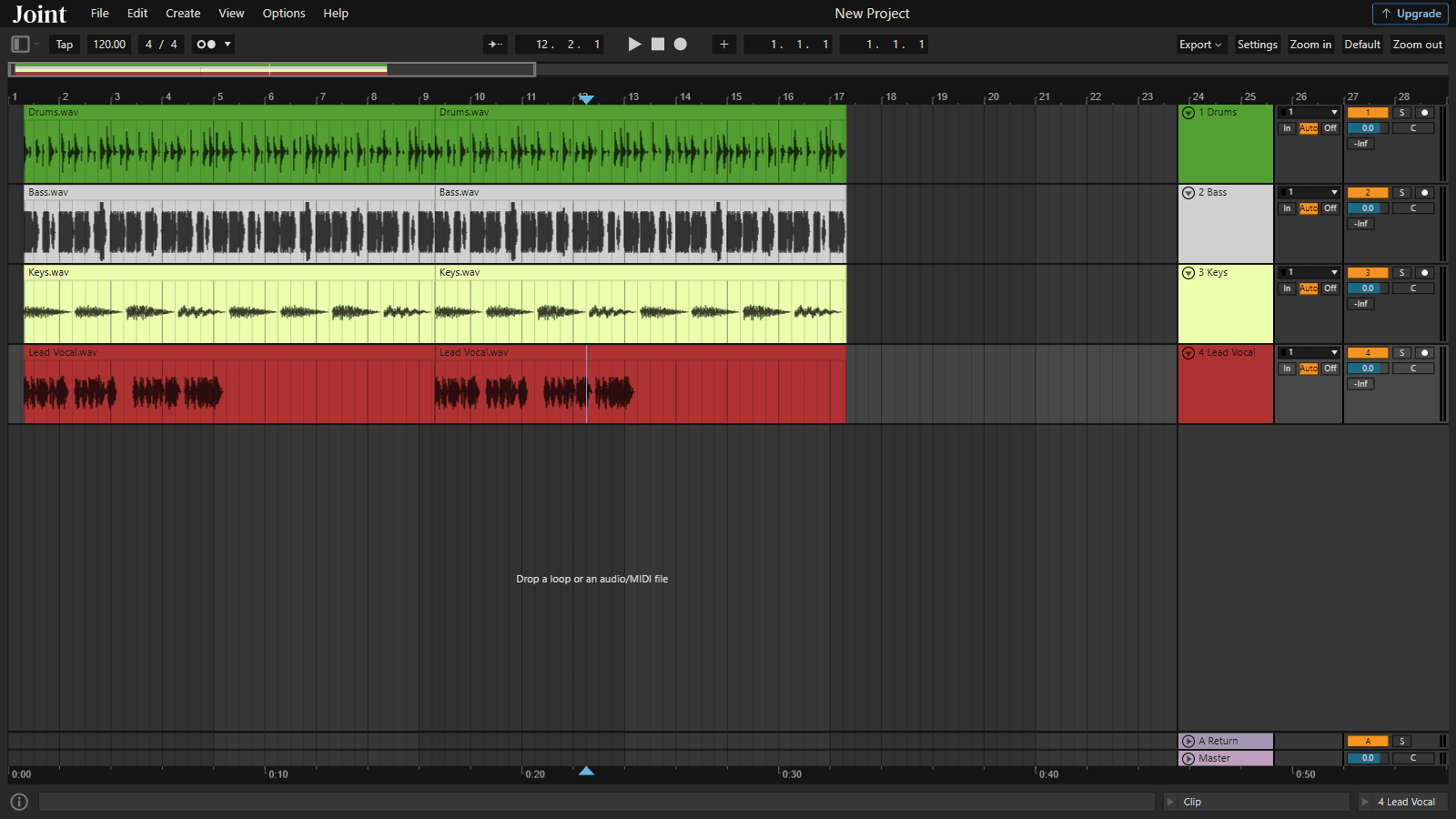
In the box
Features
Our online digital audio workstation has a wide range of features to help you create, edit and mix audio with ease.Real-Time Collaboration
Collaborate on music projects in real-time with multiple users, editing tracks, clips, recording audio, MIDI, and applying audio effects simultaneously.Easy-to-Use Interface
Our intuitive interface makes it easy to create, edit, and mix audio files, even if you’re new to digital audio workstations.Powerful Audio Effects
Apply a wide range of audio effects to your tracks, including EQ, compression, reverb, delay, and more.Audio Recording and MIDI Support
Record audio directly into your projects, or use MIDI to create and edit musical notes and sequences.Cloud Storage
Store your projects in the cloud and access them from anywhere, on any device.Export and Share Your Projects
Export your projects as audio files or MIDI files, or share them directly with other users.See it in action
One studio, every step of the track
Real screenshots from the TuttiDAW editor — arrange, write, play, mix and automate without leaving the browser.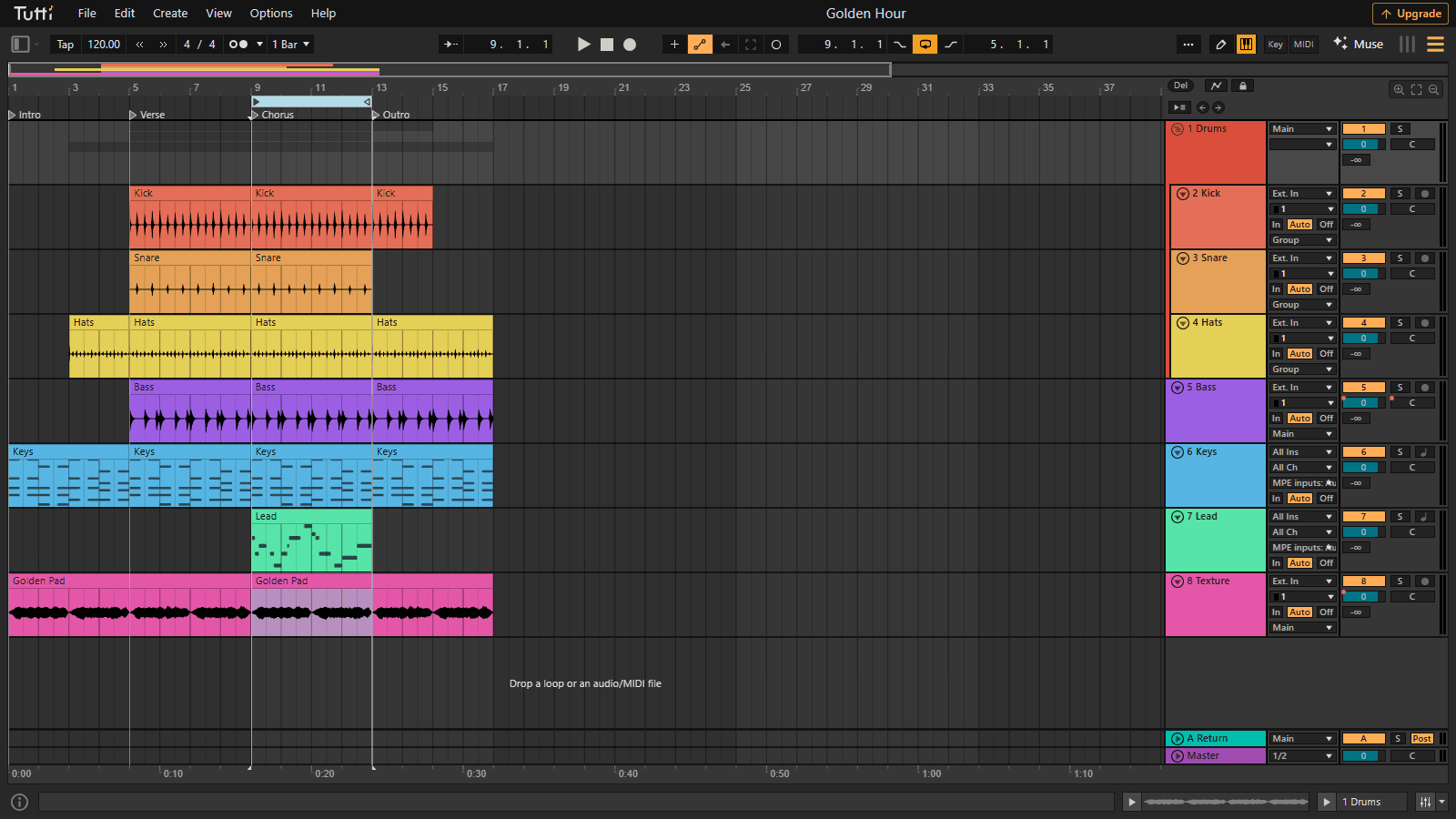
Arrange with groups and locators
Fold your drums into a group track, mark sections with locators, and loop the chorus while you work.
Open this view in the editor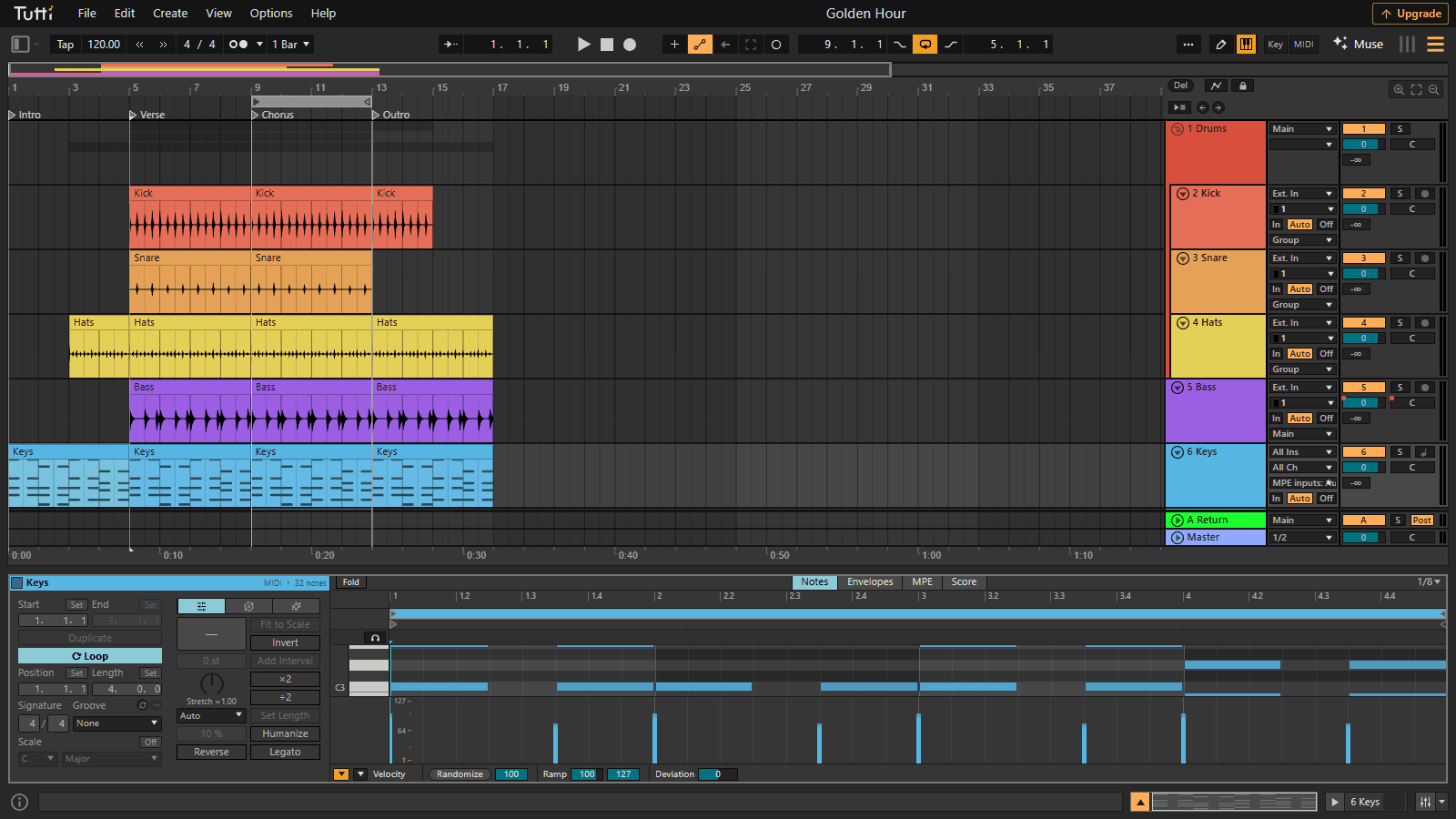
A full piano roll in your browser
Draw and stretch MIDI notes on an adaptive grid, shape velocities, and hear them on built-in instruments.
Open this view in the editor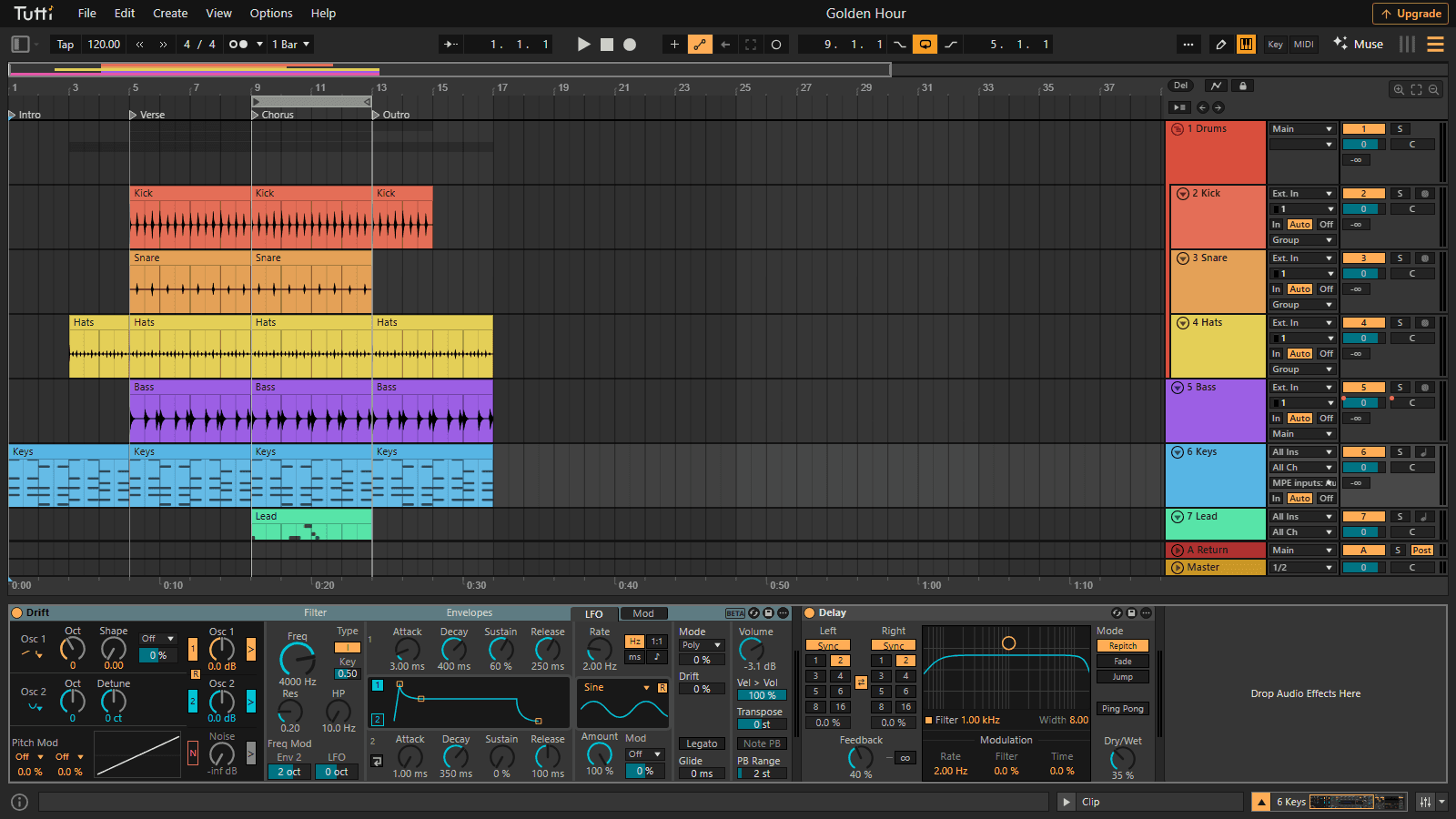
Instruments included
Drift, Operator, Wavetable and more — Live-style synth engines running entirely in your browser.
Open this view in the editor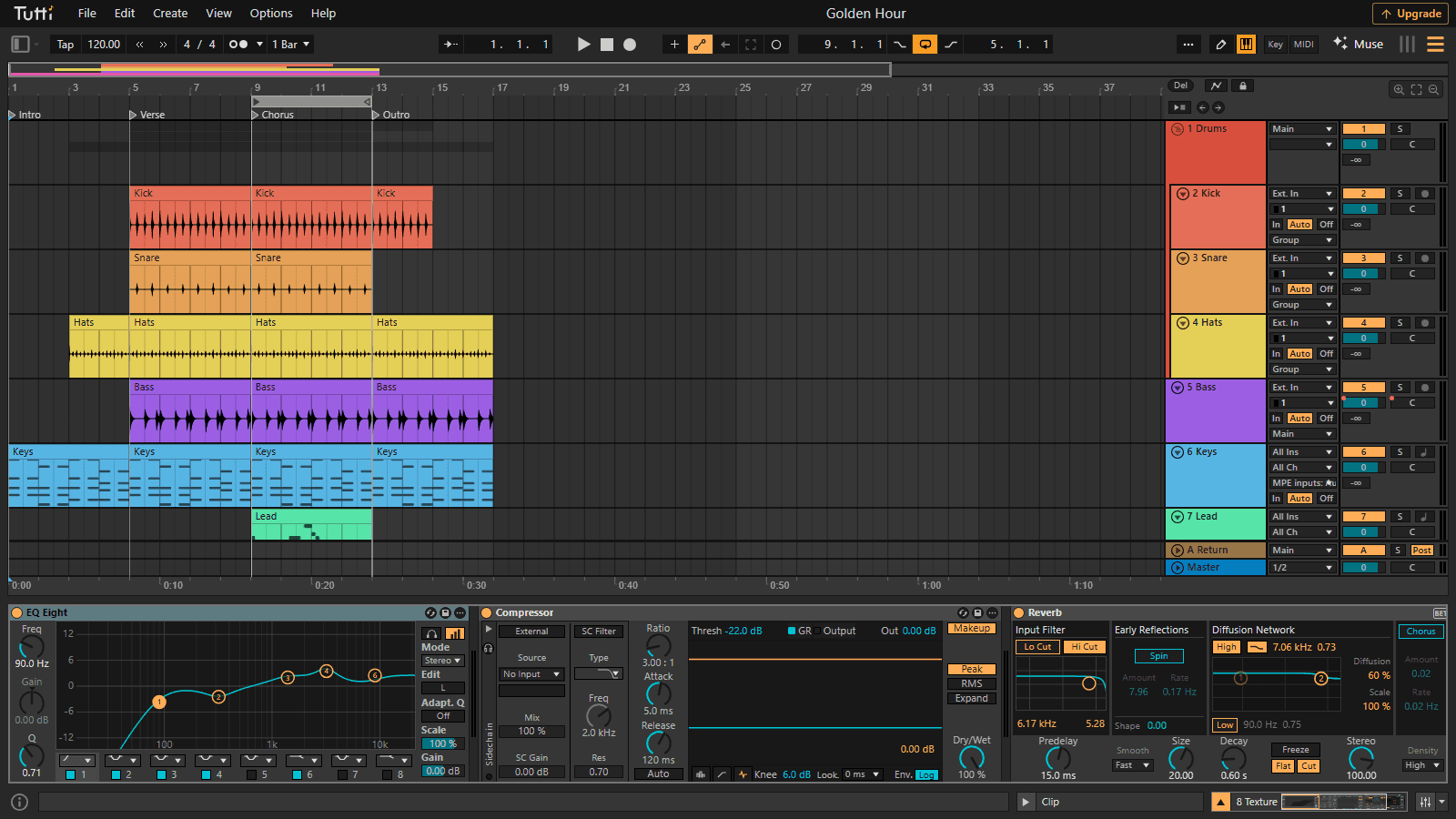
Mix with a real device chain
EQ Eight, Compressor and Reverb chained on one track, with live curves, spectrum and gain reduction meters.
Open this view in the editor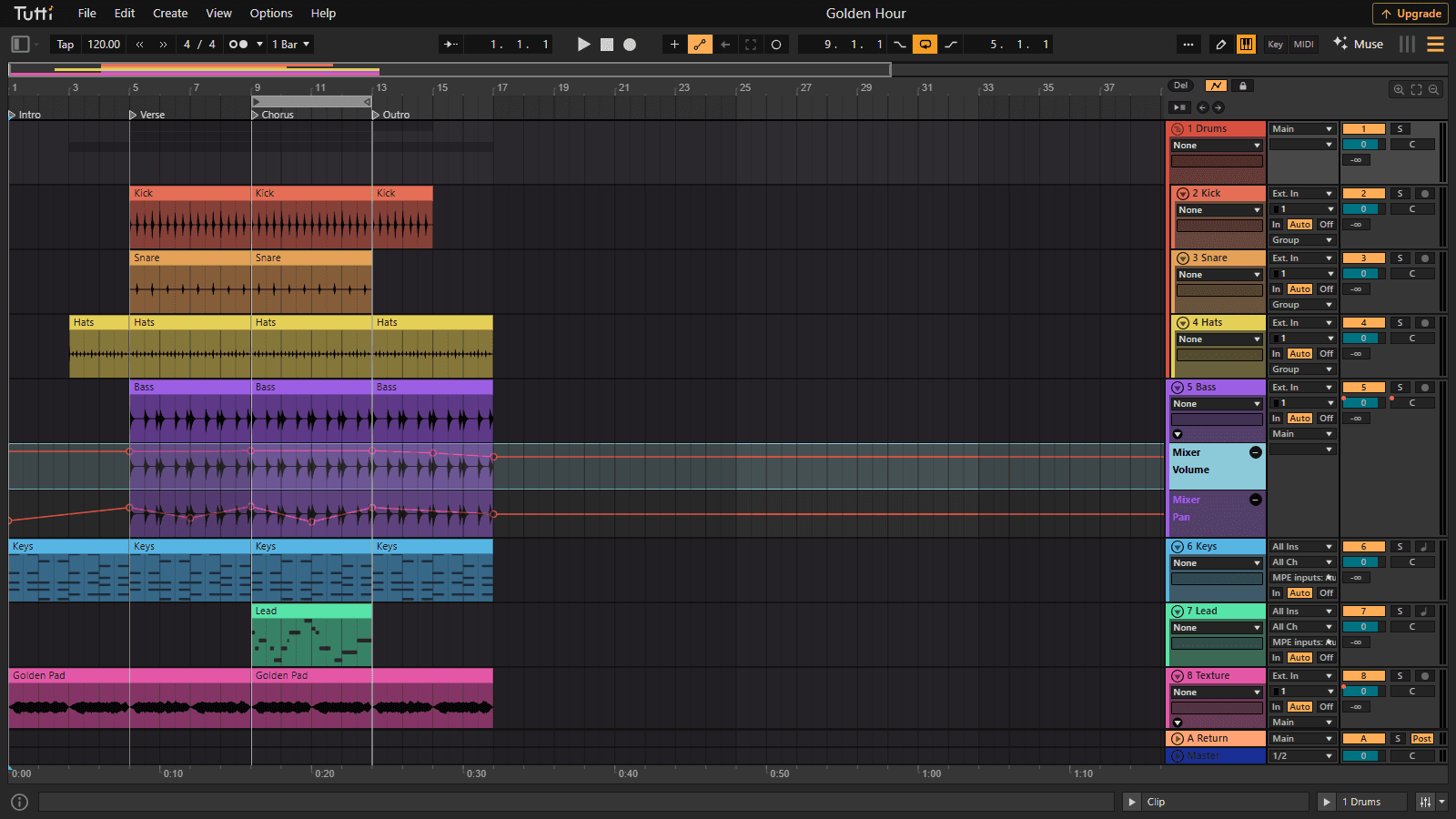
Automate everything
Draw volume and pan envelopes in Live-style automation lanes, per track and per device parameter.
Open this view in the editor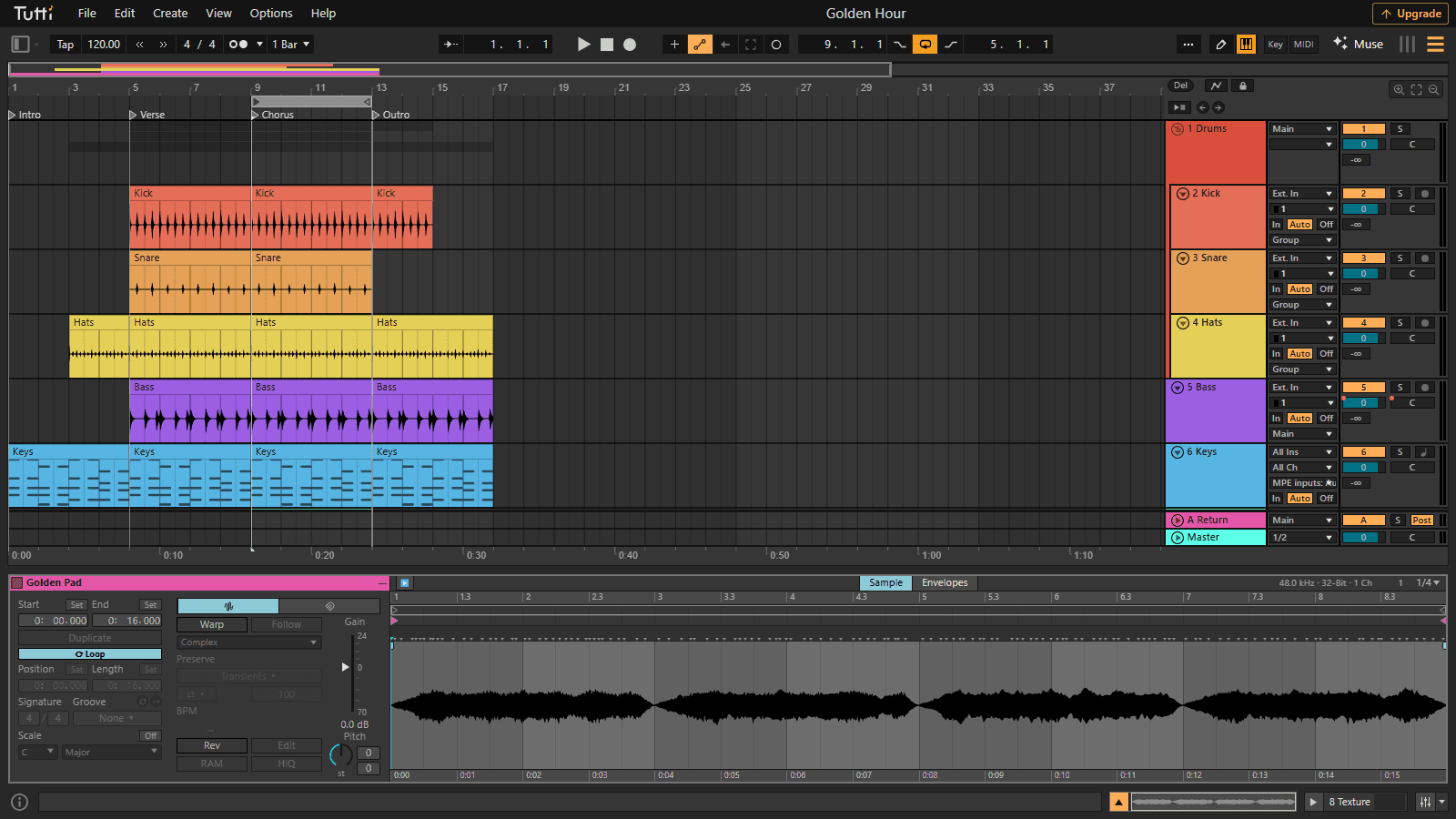
Warp audio in the sample editor
Zoom into the waveform, warp to the project tempo, transpose and loop audio clips non-destructively.
Open this view in the editorInteractive tutorials
Read a little. Turn a control. Hear the change.
Learn mixing and sound design with the real TuttiDAW devices, right inside each guide. Play an example, try a setting and compare.
Audio effects
Hear what EQ, compression, reverb and other effects do to a sound. Try the examples or load your own audio.
MIDI instruments
Shape a bass, pad or drum sound while a MIDI phrase plays. Explore synthesis and sampling with real instrument controls.
MIDI effects
Turn notes into chords and patterns. See how pitch, timing and velocity change, then hear the result through an instrument.
Style lessons
Hear how a genre is built: drums, chords, bass and lead in one multitrack. Solo the parts, then open it in the DAW.
Take 1 · the origin
Why TuttiDAW exists
TuttiDAW started when one choir member spent months collecting vocal takes over chat apps, renaming files likefinal_mix_v7_REALLY_final.wav, and mixing everything alone. There had to be a better way: one shared project, everyone recording and editing in the same session, no versions to merge. TuttiDAW is that project - built at night, used for real recordings, and improved from what breaks.Read the full story →Plans
Free to make music. Pro or Premium when you need more room.
Every editing feature, device, instrument, export format and real-time collaboration is free. Pro and Premium add unlimited cloud projects, more storage and a bigger Muse AI allowance.
The full editor, every device and instrument, unlimited collaborators, all exports, in-browser AI tools, unlimited local projects and 1 cloud project with 2 GB of storage.
Unlimited cloud projects, 100 GB of storage and 400 Muse AI points a month, including Opus. $4 a month for your first 3 months, then $12.
500 GB of storage, 1500 Muse AI points a month with Opus by default, and priority background rendering. $29 a month, or $20 a month billed yearly.